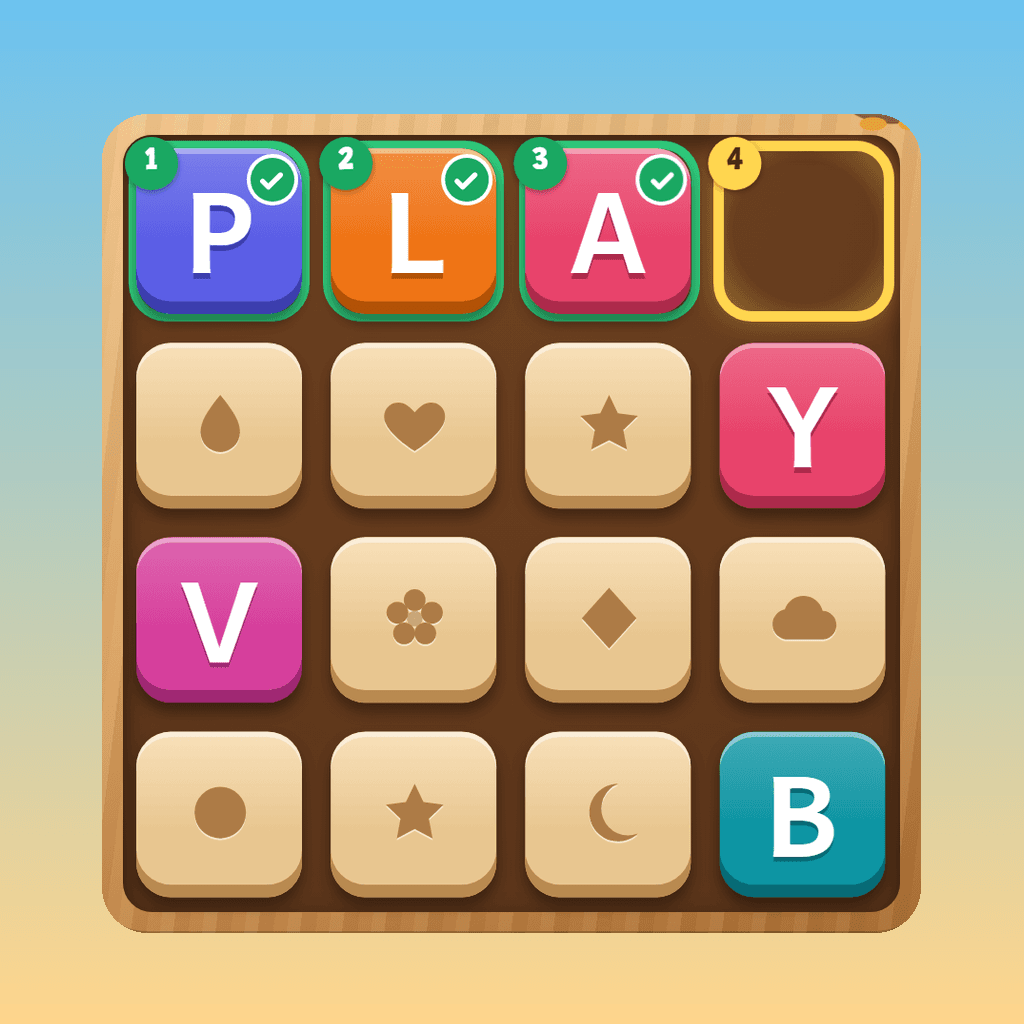
A word is read out and shown as blanks. Swap candies to match three by colour — pop the one carrying the letter the word needs next and it drops into place. Then the board cascades.
Play Spell Crush — FreeFree · No sign-up · Ages 5+ · No ads
Play with a grade list
Spell Crush plays the words from our grade and sight-word lists, free and with no sign-up.
How Spell Crush Works
Hear the word
The word is spoken and shown as blanks — never spelled out for you. Tap the speaker to hear it again as often as you like; replaying is always free and never costs a move.
Match the letter it needs
Swap two neighbouring candies to line up three or more of the same colour. If the match pops the candy carrying the letter the word needs next, that letter flies up and fills the blank. Any other match still scores and still builds specials.
Ride the cascade
Candies fall, new ones drop in, and matches you never planned go off on their own. Each step of a chain is worth more than the last, and spelling a word earns a rocket, a bomb or a rainbow to use next.
Why a Match-3 Board Teaches Spelling
The addictive part of a match-3 game is the cascade — one move, then a result bigger than you planned. Spell Crush attaches that feeling to the one question a speller has to answer over and over: which letter comes next?
You have to know the spelling to know what to pop
Every candy carries a letter, and the game withdraws its help as levels go up: glowing candies fade out, then the marker on the next blank does too. Scanning a board for the fourth letter of a word you only heard is the whole skill.
Letter by letter, in order
Blanks fill strictly left to right, so a child works through the spelling one letter at a time in the order they would write it. Popping the wrong letter costs a move and nothing else: no scolding, no lost stars.
Running out of moves is a spelling question
When the moves run dry, the child gets a chance to spell the rest of the word from memory on a letter pad. Get it right and the moves come back. Nothing is a dead end, and the game never asks a child to fish for a lucky board.
The finished word is the lesson
Completing a word sets off the biggest moment in the game, and then the whole word sits on screen for a beat before the next one loads. The payoff and the spelling are the same image.
Frequently Asked Questions
Is this just a candy game with letters?
No. Candies match by colour, but only the letter the word needs next counts. Past the first levels nothing points it out, so the child has to know the spelling to know which candy to pop. Running out of moves is solved by spelling the rest of the word from memory.
Does it use my child's spelling list?
Yes, with a Premium account. The game plays your child's assigned words, mixed with clearly labelled bonus words, and handles words of any length up to 16 letters. Without a list it draws from a standard word bank matched to the level.
Is there a timer or lives?
No. There are no timers, no lives and no energy meters. A level is a handful of words inside a budget of moves, so the pressure is on making a good swap rather than a fast one. A child can look at the board for as long as they like.
What age is Spell Crush for?
Ages 5 and up. The start screen has three settings: Little (5–6), Middle (7–8) and Big (9+). Each one plays a different band of levels with shorter or longer words and a different amount of help on the board.
Is Spell Crush free to play?
Yes. Guests can play the first twelve levels with no account. A free account unlocks the rest of the map and earns XP and streaks toward your child's dashboard.
How do the special pieces work?
Matching four in a line makes a rocket, which clears a whole row or column when you swap it. Five in a line, or an L or T shape, makes a bomb that clears the candies around it. A rainbow candy clears every candy of one colour. Swap two specials together to combine them into something bigger. Spelling a whole word also gives you a gift special.
Can my child play it on a phone?
Yes. The board is sized for thumbs, and you can either swipe a candy or tap it and then tap its neighbour. The whole game is also playable from a keyboard: arrow keys move a cursor, Enter picks a candy up, and an arrow key swaps it.
More spelling games for ages 5+
If Spell Crush is a hit, these three suit the same ages. All free, all in the browser.